 Lariscus
Drey · Note vault
Your private note vault that runs your work.
Drey is a local-first Markdown note app. Your notes are plain files in a folder you own, with a true in-place live preview, daily notes, tasks, tags, search, diagrams, and an optional AI assistant that reads your vault and acts on it through permissioned tools.
Windows installer and portable · Linux AppImage and .deb · GPL-3.0-or-later
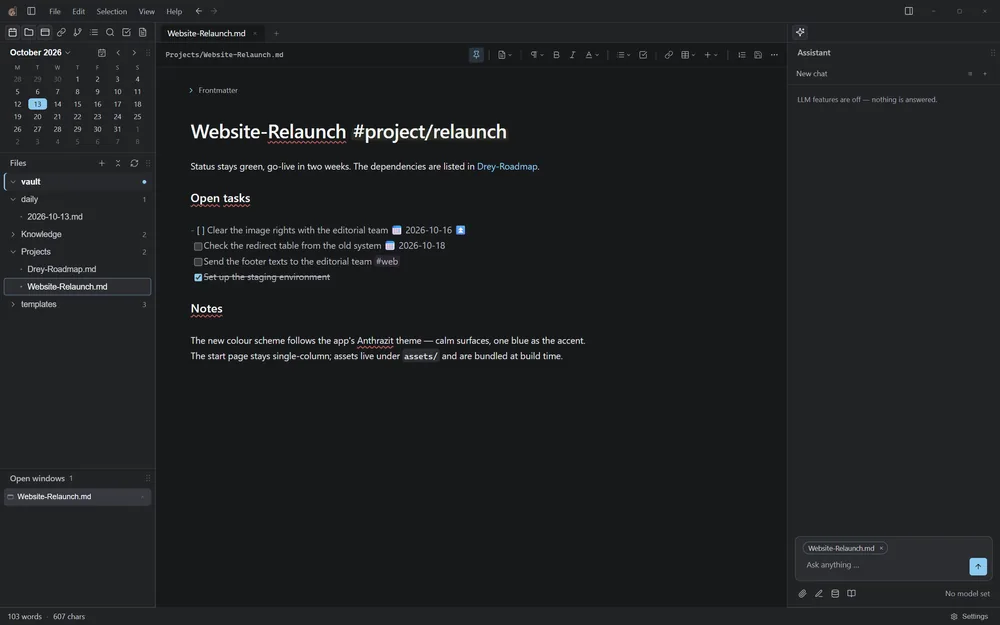
Everything stays a file
A vault is an ordinary folder, even one on OneDrive or a sync share. There is no database and no proprietary format: Markdown with optional YAML frontmatter.
- Format
- Markdown + YAML
- Storage
- Plain folders
- AI
- Local first, optional
- Platforms
- Windows, Linux
Write in a live preview
Headings, tables and images render in place; syntax markers appear only around your cursor. Switch to source mode whenever you want the raw text.
- Highlights, math, callouts, footnotes and emoji
- Slash menu and a formatting strip for quick inserts
- Split panes, tabs and movable docks
- Wikilinks with link-safe rename and move
- PDF export, spellcheck and per-note version history
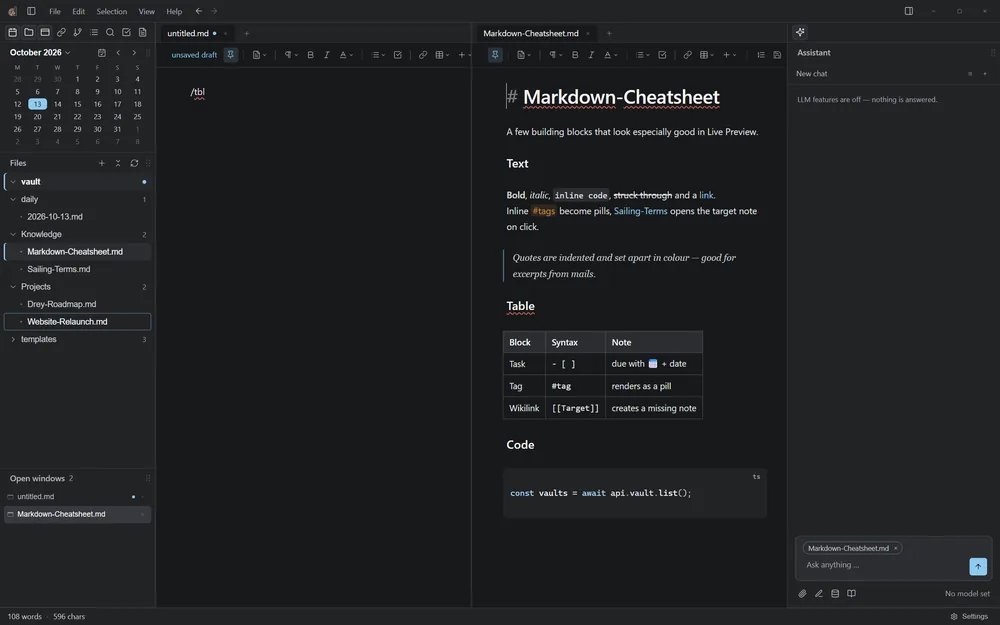
Find it, plan it, check it off
Topics are free inline #tags, never folders. One search field covers tags and free text across the open note, the vault or all your vaults. Tasks carry due dates and priorities inside the note itself and show up in one panel.
- Daily notes and quick capture
- Case, whole-word and regex search with vault-wide replace
- Tag rename and merge with prefix colours
- Templates and snippets
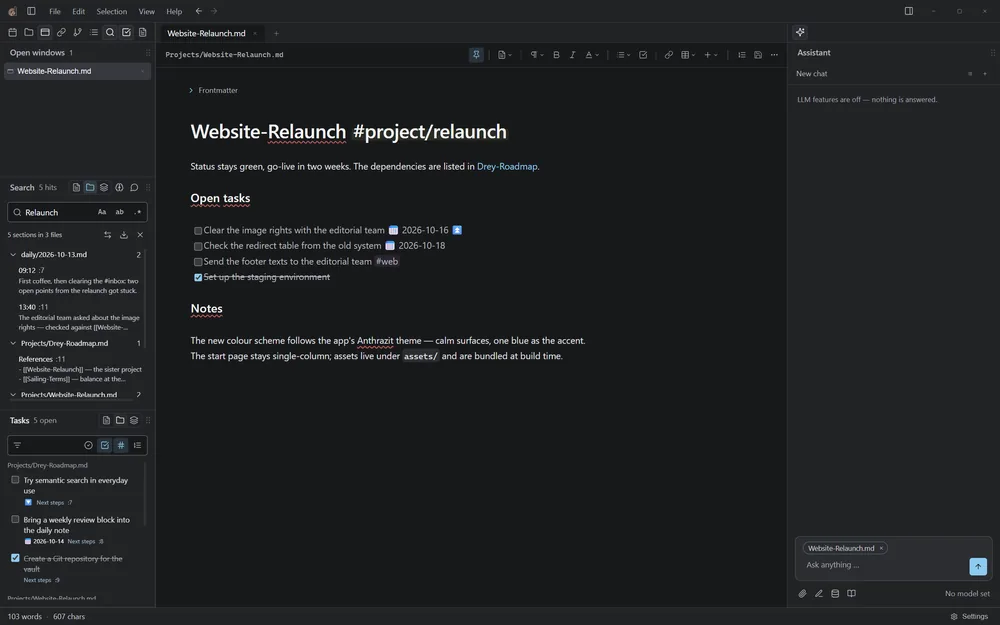
An assistant that asks before it acts
Point Drey at a local OpenAI-compatible model such as LM Studio, llama.cpp, vLLM or Ollama, and ask questions about your notes. The assistant pulls in the sections that match your question and cites where they came from.
- Hosted providers are opt-in and off by default
- Edit access to notes is off, ask-first or automatic, your choice
- Web search and external MCP servers only run when you allow them
- Drey can also act as an MCP server for your other tools
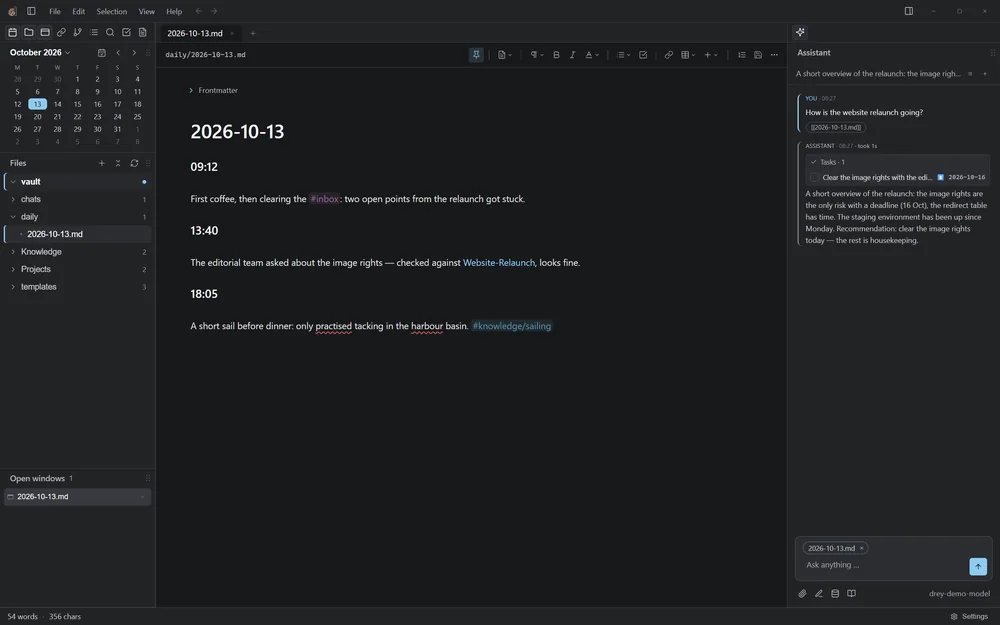
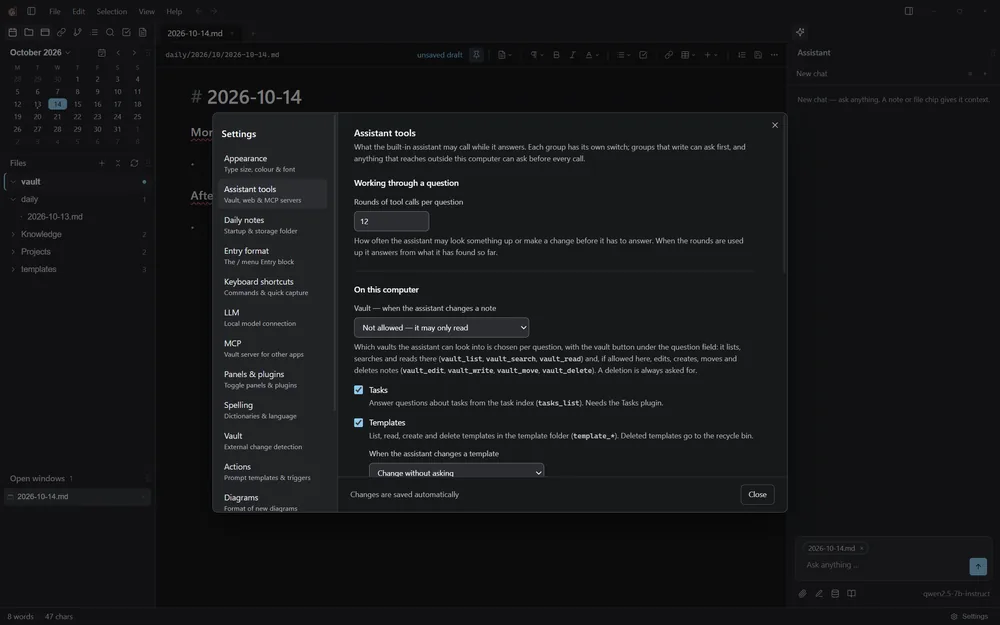
You hold the permissions
Every tool the assistant may call has its own switch. Groups that write ask first, and anything that leaves your computer can ask before it runs. A deletion is always confirmed.
Built for real vaults
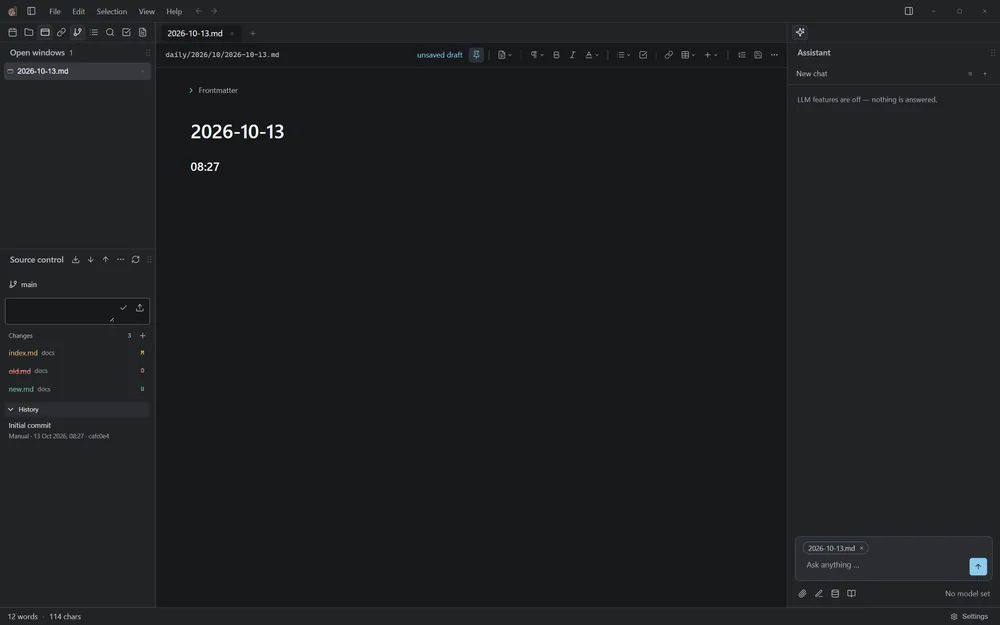
Git-backed vaults get a Source control panel with commit, push, merge, stash and file history. Diagrams are draw.io files that embed like images. Save conflicts open a merge view instead of overwriting.
- Several vaults, switch at any time
- Optional file watcher for external changes
- Three themes: Drey, Anthrazit and Cyberpunk
- Office documents open in their own program
Download Drey
Version 0.8.2. Installers are around 200 MB.
| Windows | Installer (drey-0.8.2-setup.exe) or single-file portable build |
|---|---|
| Linux AppImage | drey-0.8.2.AppImage: make it executable and run it; updates in place |
| Linux .deb | sudo apt install ./drey_0.8.2_amd64.deb |
Drey checks GitHub for new versions on startup. That request carries no note content, and downloading or installing always asks you first.
Questions
Does Drey send my notes anywhere?
No. Notes stay in your vault folder. Only if you switch on a hosted AI provider, or allow web search or an external MCP server, does the content of a question leave your computer.
Which AI models can I use?
Any local server that speaks the OpenAI-compatible API, such as LM Studio, llama.cpp, vLLM or Ollama. OpenRouter, the Anthropic API, Z.ai and the Claude Code CLI are available as opt-in providers.
Can I use Drey without AI?
Yes. The assistant is optional; the editor, tasks, tags, search, templates and Git features work on their own.
Can I keep using my existing Markdown files?
Yes. Point Drey at any folder of Markdown notes. It never adds frontmatter to a note on its own, and it never moves your folders around.
Is Drey free?
Yes. Drey is open source under the GNU GPL v3.